Stop creating and sending door codes by hand. Here’s how to automate TTLock access for Airbnb and Booking.com using Homeit.
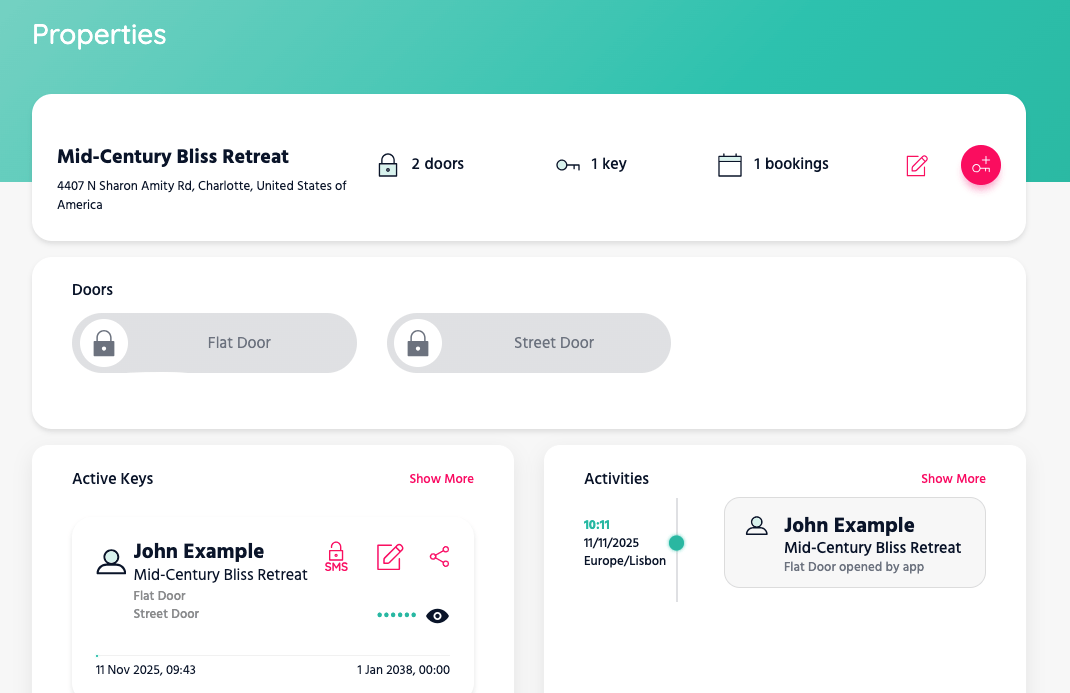
“John Example” is a digital key that corresponds to a booking in a OTA.
What Homeit Does
Homeit keeps your reservations in sync and handles the lock side for you. Think of it as a lightweight PMS layer focused on smart locks: it watches bookings, creates time-boxed access, and sends it to the right guest at the right moment.
- Syncs bookings from Airbnb and Booking.com.
- Creates a PIN or a secure web link for each stay.
- Sets the validity window from check-in to check-out.
- Sends the message through the OTA conversation of that booking.
Messages are sent via official APIs at the booking level. They look and feel like normal host messages to the guest.
How It Works
- Link your TTLock account to Homeit.
- Connect your Airbnb / Booking.com listings.
- Map each listing to the correct door(s).
- Choose when to send the message (e.g., 24 hours before check-in).
You can edit templates to include directions, Wi-Fi, or house rules. Here’s the idea:
Hello {{guest_first_name}}, your door code is 54231.
You can also open the door with this link: https://app.homeit.io/invitation?token=5M64RZBuEuiHSzUJ3s7G471TFdap2HxP (no app needed).
Valid from {{checkin_time}} to {{checkout_time}}.
Smart Lock Dashboard
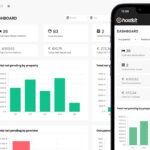
The dashboard is built for short-rentals and small guesthouses. You can adjust dates, add or remove doors from a key, and create staff or master keys. Logs show who entered and how (PIN pad or link). Remote open is one click away.
If a booking changes, Homeit updates the access window automatically. If a booking cancels, access is revoked.
PIN or Invitation Link
Guests can receive a numeric PIN, a web link, or both. The Invitation Link is a secure web URL that opens the door from a phone—no app required—and only works during the stay. The page also shows the PIN for reference. See here an example.
Multi-Door Access
One guest, one credential. If they need the front gate and Apartment 3B, the same PIN or link can open both—only for the dates you set.
Why Not Just Use TTLock Alone?
TTLock is solid hardware and software, but it doesn’t connect to OTAs. Without automation you’ll end up:
- Creating and sharing every code by hand.
- Tracking check-in/check-out dates yourself.
- Remembering to revoke access after departure.
Homeit takes that workload off your plate and keeps everything in step with your bookings.
At a Glance
- Automatic code creation and revocation.
- Airbnb and Booking.com sync at the booking level.
- Works for single or multiple doors.
- Guest messages sent inside the OTA chat.
- No-app web link + classic PIN option.
- Clear logs and simple remote open.
FAQ
Do guests need an app?
No. The Invitation Link opens in the phone browser and works only during the stay. A PIN can be sent as well.
What if I move a booking or add early check-in?
Homeit adjusts the access window automatically. No manual edits on the lock.
Can I send extra instructions?
Yes. Use templates to include directions, Wi-Fi, or anything else. Messages go through the OTA thread.
Does this work for staff?
Yes. Create staff or master keys and track activity in the dashboard.
Join the Early Beta
We’re opening early access to the Smart Lock Channel Manager with a discounted monthly fee. If you want to automate TTLock across Airbnb and Booking.com, drop us a line: